
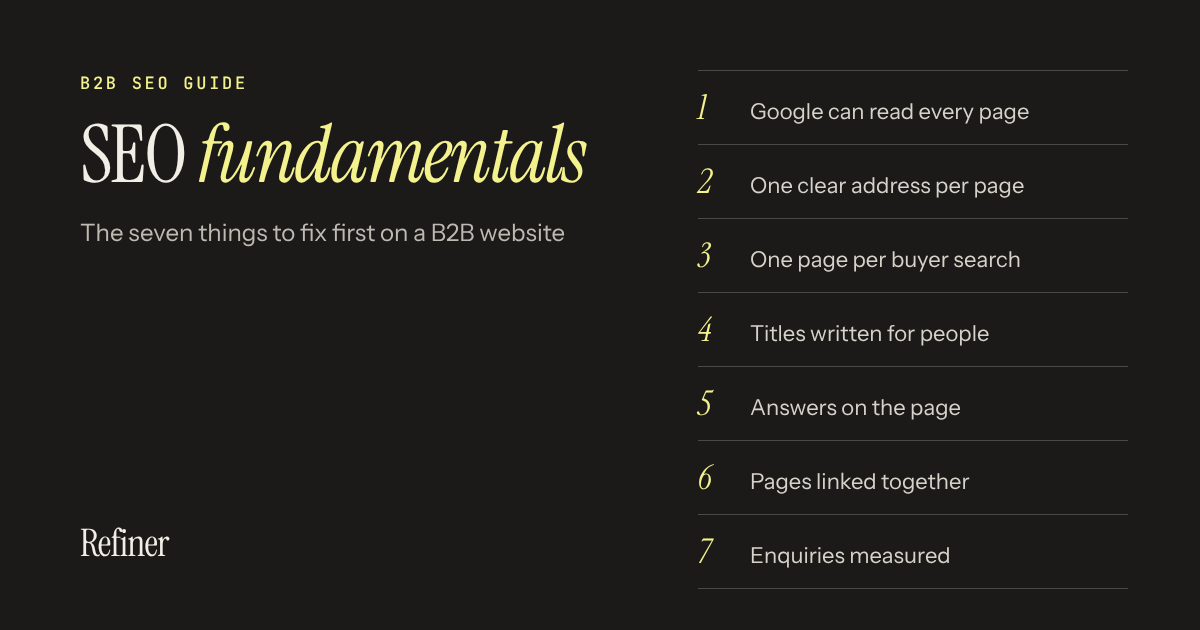
SEO fundamentals are the few things that decide whether a B2B website can be found at all. Search engines need to reach and read every important page, each page needs to answer a search your buyers make, and its title and links need to say clearly what it's about. Get these right and everything else, from a content programme to AI search, has something to build on. Get them wrong and more content won't fix it.
This guide sets out the seven fundamentals we check first, in the order we check them. It draws on Google's own SEO Starter Guide, last updated in December 2025, and ends with the things Google says don't matter.
In this article
- 1. Make sure Google can find and read every page
- 2. Give every page one clear address
- 3. Match each page to a search your buyers make
- 4. Write titles and descriptions for people
- 5. Answer the question on the page
- 6. Link your pages together
- 7. Measure what organic search brings in
- What Google says doesn't matter
- Where to start
- What are the fundamentals of SEO?
- Does Google use meta keywords?
- Does a B2B website need a sitemap for SEO?
1. Make sure Google can find and read every page
Start by searching Google for `site:` followed by your domain. If important pages are missing, nothing else in this guide matters yet. Search Console's URL Inspection tool shows whether a page is indexed and what Google saw when it last crawled it.
Google needs to load the same files a visitor's browser does, including CSS and JavaScript. If your site builds its pages in the browser, as older Lovable sites and many React apps do, crawlers first receive an almost empty page. Google can usually render it in the end, but the AI crawlers behind ChatGPT and Claude don't run JavaScript at all. Our guide Is Lovable bad for SEO? explains how to check what crawlers receive.
A sitemap helps, but Google says it isn't required. Links are still the main way search engines discover pages.
2. Give every page one clear address
Use addresses people can read, with words that describe the page, and group related pages into sections such as /services/ or /insights/. Google says this helps it understand how often each section changes, which matters most on larger sites.
Each piece of content should live at one address. If the same page loads at several, with and without a trailing slash or with tracking parameters, set a canonical address or redirect the copies. If you've moved pages, redirect each old address to its closest new one, as our guide to planning and testing redirects describes.
3. Match each page to a search your buyers make
Every commercial page should answer one search a buyer actually makes. Find them in Search Console's queries report, in the questions your sales team hears and in Google's "People also ask" boxes. Google suggests thinking about the different words people use depending on how much they know: a finance director and an engineer may describe the same problem differently.
Then check for gaps and overlaps. A buyer search with no page to answer it is a gap. Two pages chasing the same search compete with each other, and often neither ranks well.
4. Write titles and descriptions for people
The page title is usually the headline a searcher sees, so make it unique, clear and accurate. We put the main search phrase first and keep titles to 60 characters. The meta description often becomes the snippet under it: write a short, unique summary of what the page offers, with one concrete fact where there is one.
5. Answer the question on the page
Google asks for content that is helpful, reliable, up to date and written for people, and it says there's no ideal word count. For B2B pages that means answering the question in the first sentence, then giving the detail a buyer needs to act: what it costs, how it works, and evidence it works.
Clear, specific answers also give AI assistants something to quote. Google says there's no special format for its AI features, which is why our guide to whether AI will replace SEO argues the fundamentals matter more, not less.
6. Link your pages together
Internal links tell search engines which pages matter and how they relate. Link from articles to the service pages they support, use link text that describes the page you're linking to, and make sure no important page is buried several clicks from the homepage or not linked at all.
7. Measure what organic search brings in
Set up Search Console and check it regularly. Then track enquiries, not just visits: tag form submissions so you can see which ones came from organic search and which pages they started on. Rankings and traffic are early signs. Enquiries are what tell you whether the work is paying off.
What Google says doesn't matter
Google's starter guide is unusually direct about the things people worry about that make little or no difference:
- Meta keywords. Google Search doesn't use the keywords meta tag.
- Keywords in your domain or addresses. They have very little effect on rankings beyond appearing in breadcrumbs.
- Word count. There's no ideal length for a page.
- Heading order and number. Use headings to help readers; there's no ideal number or order for Google.
- A "duplicate content penalty". Duplicate addresses on your own site are inefficient, but they don't trigger a penalty. Copying other people's content is a different matter.
- Subdomains or subfolders. Choose whichever suits your business.
Where to start
Work through the seven in order, because each one depends on the one before: a well-written page doesn't help if Google can't read it. If you'd rather have someone check them for you, an SEO audit covers all seven and ranks the fixes by impact. If the problems are mostly technical, see technical SEO.
What are the fundamentals of SEO?
The fundamentals of SEO are making sure search engines can crawl and read every important page, giving each page one clear address, matching each page to a search, and writing clear titles, descriptions and content. Linking pages together and measuring the enquiries organic search brings in complete the list. Google's SEO Starter Guide covers each one.
Does Google use meta keywords?
No. Google Search doesn't use the keywords meta tag, so adding one has no effect on rankings. Google's SEO Starter Guide, updated in December 2025, says so directly. Time is better spent on unique page titles and meta descriptions, which Google does use when it shows your page in results.
Does a B2B website need a sitemap for SEO?
A B2B website doesn't strictly need a sitemap for SEO, because Google mainly finds pages through links. A sitemap is still worth having: it helps Google find new and updated pages sooner, and submitting it in Search Console shows you which of the listed pages are indexed.
“SEO fundamentals come down to seven things: search engines can read every important page, each page answers a buyer search, and you measure the enquiries it brings in.”
Copy post gives you the takeaway and the link, ready to paste into LinkedIn.Lawford, A. (26 November 2026). SEO fundamentals for B2B websites: what to fix first. Refiner Agency. https://refineragency.com/insights/seo-fundamentals