
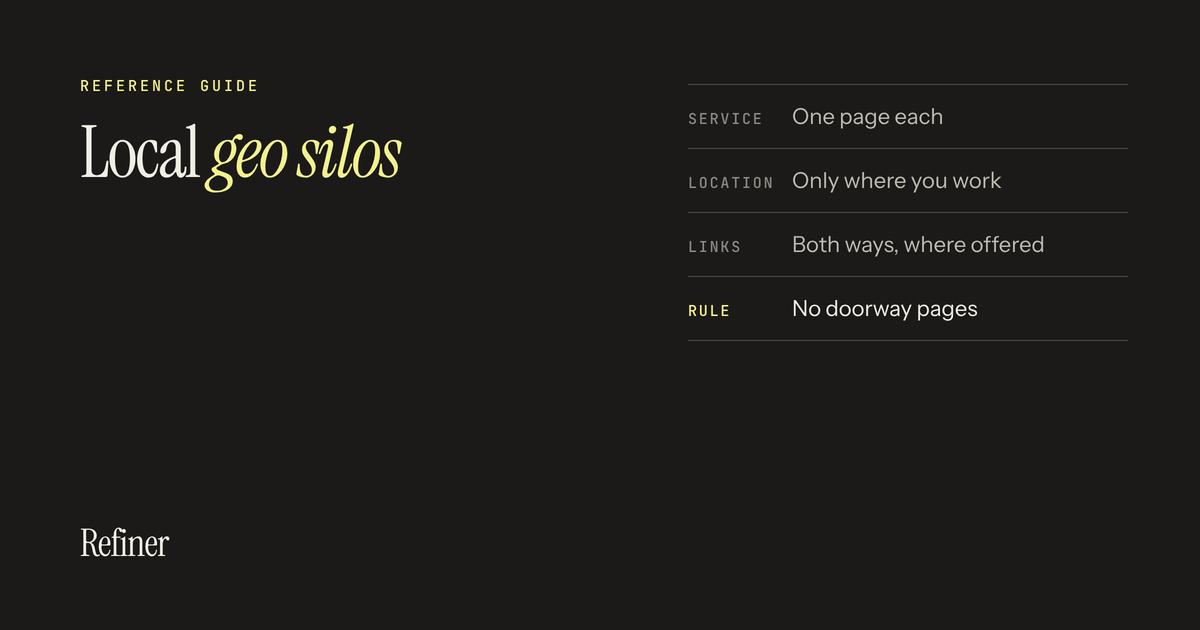
This guide sets out how to structure a website for a business that serves defined areas: what pages to create, how to link them, how to name their addresses and what each one must contain. It applies to trades, clinics, law and accountancy firms, agencies, retailers and any other business whose customers search by place.
The examples are from London, where people search by borough and neighbourhood: an accountant in Shoreditch, a dentist in Clapham, a roofer in Camden. Replace London with your own city or region.
In this article
- 1. What a local geo silo is
- 2. Page types and when to create them
- 3. Internal linking rules
- 4. Address conventions
- 5. Content requirements for location pages
- 6. The rule: no doorway pages
- 7. Implementation checklist
- What is a geo silo in local SEO?
- Are location pages doorway pages?
- Should a business build a page for every area it serves?
1. What a local geo silo is
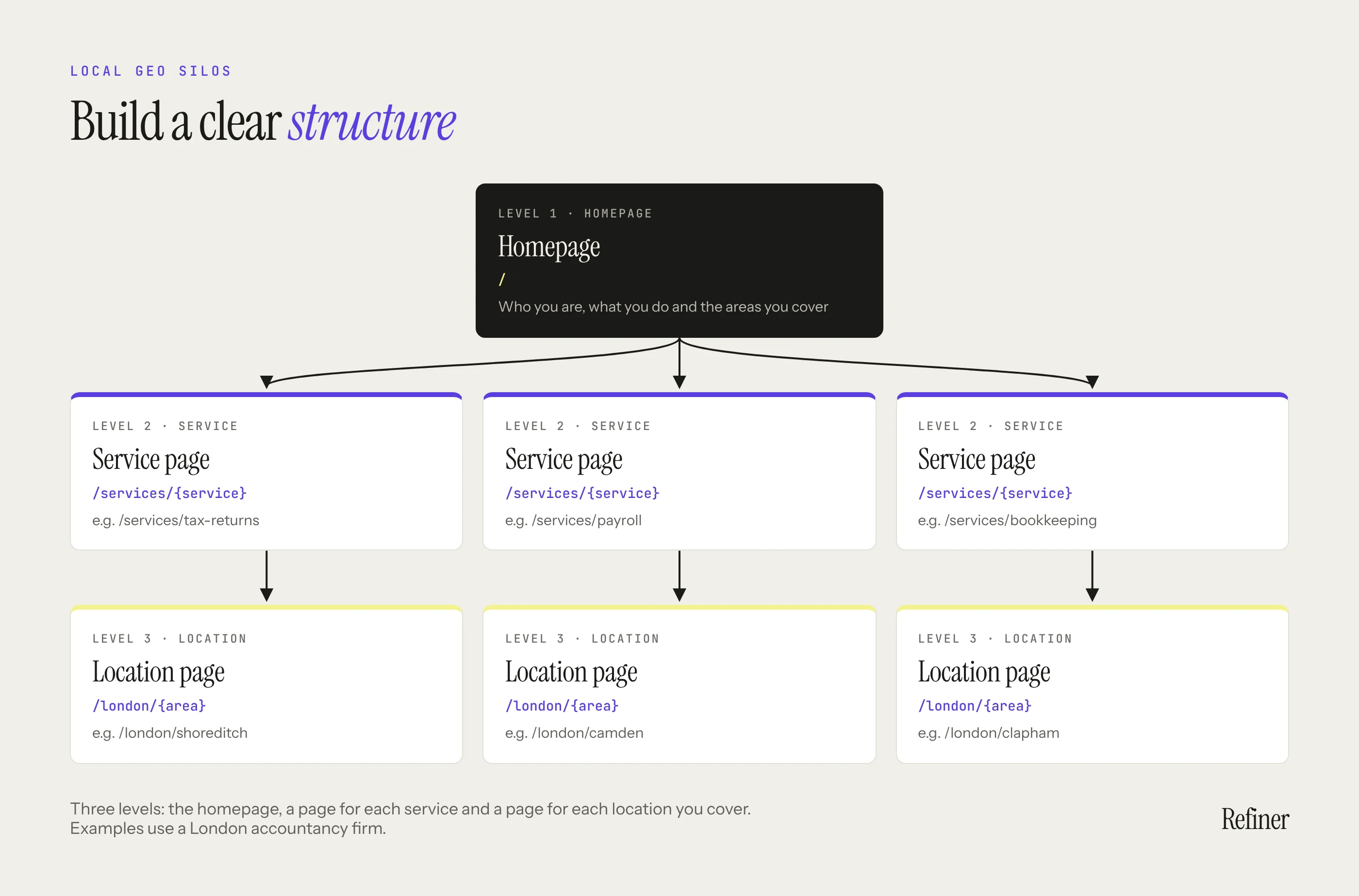
A local geo silo is a site structure that connects the pages for what you do with the pages for where you do it, through consistent internal links. It tells search engines which services you offer in which places, and gives visitors a direct route from one to the other.
| Term | Meaning | London example |
|---|---|---|
| Service page | One page per core service, covering it in full | /services/payroll for an accountancy firm |
| Location page | One page per area you genuinely serve | /london/shoreditch |
| Locations hub | One page listing every area you serve | /london |
| Service in a location | A service page for one area, only when the area changes the service | /london/camden/roof-repair for a roofer working on listed buildings |
2. Page types and when to create them
Create pages in this order, and only when the conditions are met.
- Service pages: always. Create one for each core service you sell. A dental clinic might have implants, hygiene and orthodontics; an accountancy firm tax returns, payroll and bookkeeping. One service per page.
- Location pages: when you work there and can show it. Create one for each area where you do the work and have local proof. A Clapham dental clinic might cover Clapham, Balham and Brixton, not all of south London.
- A locations hub: once you have two or more location pages. It lists every area you serve and is linked from the main menu, so every location page is reachable.
- Service in a location: rarely. Create one only when the area genuinely changes the service, such as different regulations, building types or prices. If the page would repeat the service page with the area name swapped in, don't build it.
London has 32 boroughs plus the City of London. A page for each one, written to the same template, is a doorway page pattern (see section 6), not a geo silo.
3. Internal linking rules
Links are what turn separate pages into a silo. Apply these rules to every page:
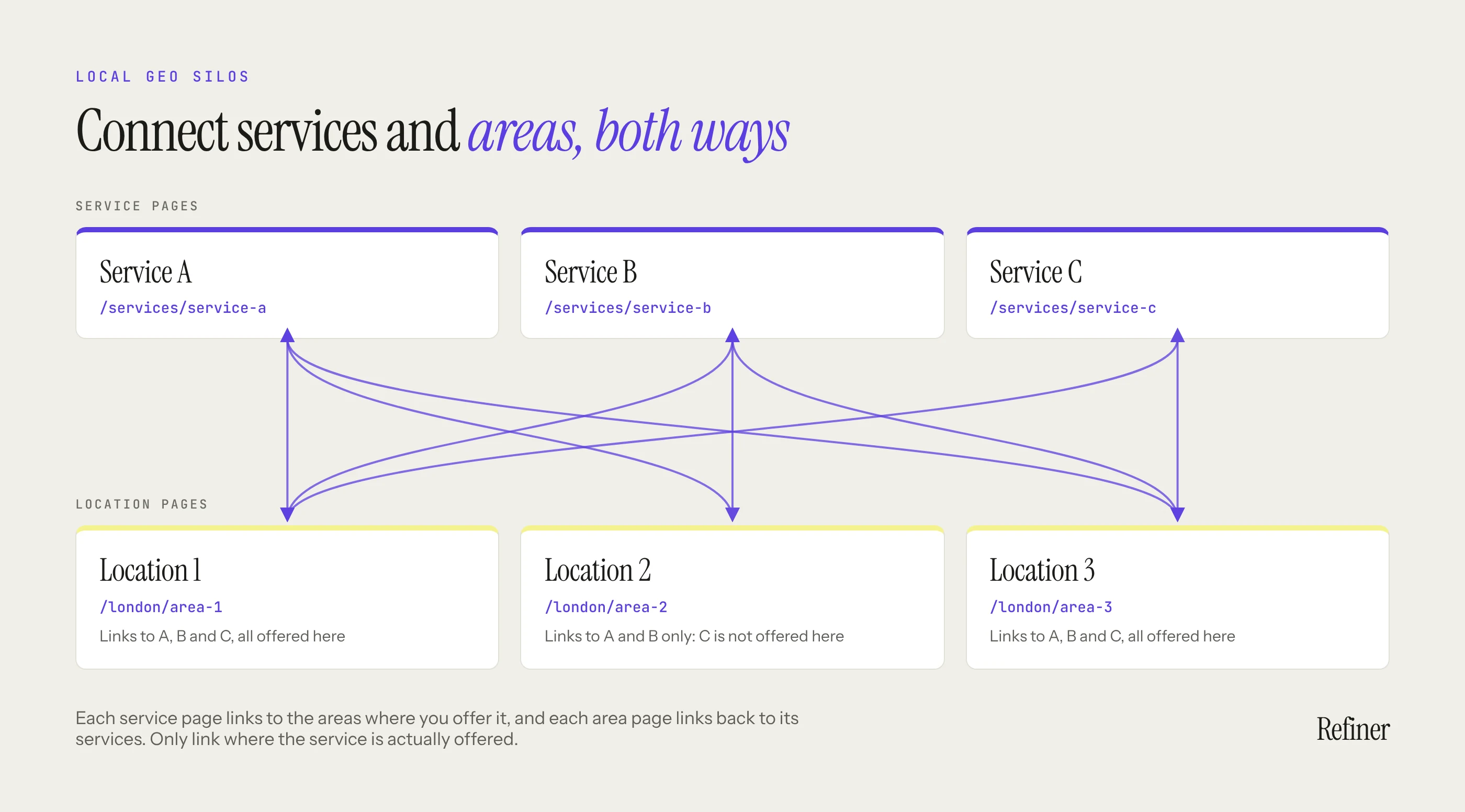
- Every location page links to the services offered there. A Shoreditch page for an accountancy firm links to tax returns, payroll and bookkeeping if all three are offered there.
- Every service page links to the locations where it is offered. The payroll page links to Shoreditch, Camden and Clapham.
- Only link where the relationship is real. If a service isn't offered in an area, the location page doesn't link to it.
- Link related services where it helps the reader. A roof repair page can link to roof replacement for when a repair isn't worth it.
- Use descriptive link text. Write "payroll for Shoreditch businesses", not "click here" or "our services".
- Link every page from at least one other page. The locations hub and the services hub make sure nothing is orphaned.
These rules follow Google's own guidance. Google says it uses links to judge how relevant pages are and to find new pages to crawl, recommends that every page you care about is linked from at least one other page, and describes good anchor text as "descriptive, reasonably concise, and relevant".
4. Address conventions
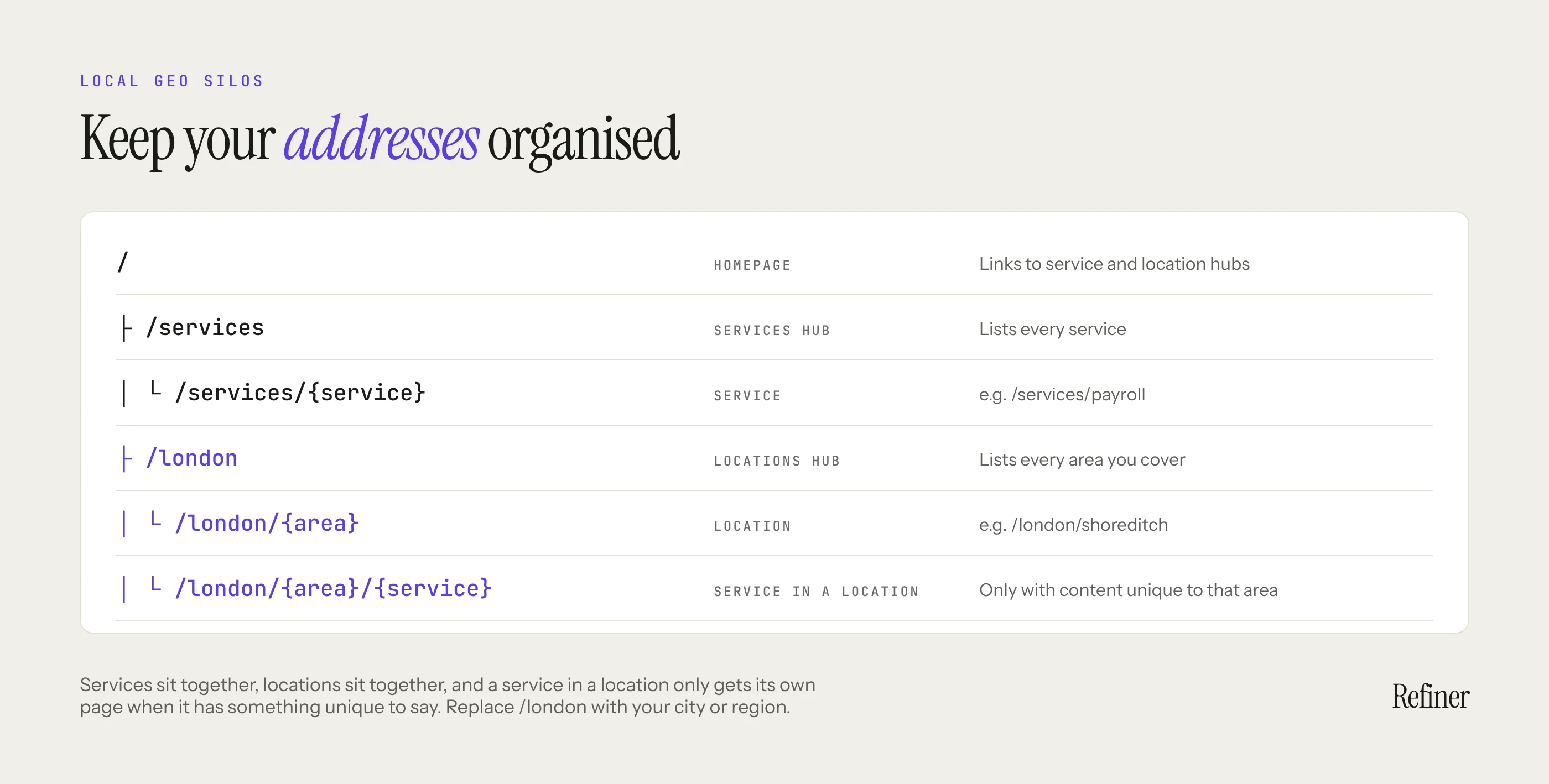
Use a predictable address pattern so people and search engines can tell what a page is from its address alone.
| Page type | Pattern | London example |
|---|---|---|
| Services hub | /services | /services |
| Service page | /services/{service} | /services/dental-implants |
| Locations hub | /{city} | /london |
| Location page | /{city}/{area} | /london/clapham |
| Service in a location | /{city}/{area}/{service} | /london/camden/roof-repair |
- Keep services together and locations together, so each group can be linked and reported on as a set.
- Use lower case words separated by hyphens, and the names your customers use: "shoreditch", not a postcode district.
- Don't change addresses once pages are live. If you must, redirect the old address to the new one permanently.
- List every page in your XML sitemap, and nothing you don't want indexed.
5. Content requirements for location pages
A location page must give someone in that area information they can't get from the service page. Include at least three of these:
- Local work: named projects, clients or case studies in the area, with photos or results. A Shoreditch accountancy page might show the tech start-ups it works with there.
- What is different there: regulations, building types or market conditions that change the service. A Camden roofer needs to cover conservation areas and listed buildings.
- Practical detail: where you are, how to get there, parking, the nearest station, how quickly you can visit, and your opening hours.
- Local proof: reviews from customers in that area, and the questions they asked before buying.
- Local pricing or availability: where it genuinely differs from elsewhere.
If you can't meet this standard for an area yet, mention it on the locations hub instead of giving it a page.
6. The rule: no doorway pages
Don't create location pages just to target keywords.
Google's spam policies list doorway abuse as a violation, and one of its examples is pages targeted at specific regions or cities that funnel users to one page. Thirty boroughs with the same text and a different name in the heading is a doorway pattern, whatever the business.
The test is simple: would someone in that area learn something from this page that the service page doesn't tell them? If not, it isn't a location page.
7. Implementation checklist
- One page for each core service
- One page for each location you serve and can show local work for
- A locations hub linked from the main menu
- Each location page links to the services offered there
- Each service page links to the locations where it is offered
- Descriptive link text, with no "click here" links
- Consistent addresses under /services and /{city}
- Every page in the XML sitemap
- Every location page meets the content requirements in section 5
- No near-identical location pages
Build a clear structure. Connect the pages that genuinely relate. Make every internal link count. For retailers with several stores, our retail marketing page covers store pages in more detail, and our guide to long question SEO explains why "where" is one of the four parts of almost every search.
What is a geo silo in local SEO?
A geo silo in local SEO is a site structure that connects service pages with location pages through internal links. Each service has its own page, each area you serve has its own page, and they link to each other wherever the service is offered there. It helps search engines understand which services you offer in which places, and helps visitors find them.
Are location pages doorway pages?
Location pages are doorway pages when they are near-identical copies created only to rank for each place. Google's spam policies name pages targeted at specific regions or cities that funnel users to one page as doorway abuse. A location page is legitimate when it carries information specific to that place, such as local work, regulations, access and reviews.
Should a business build a page for every area it serves?
No, a business should only build location pages for areas where it does the work and can write about them specifically. London, for example, has 32 boroughs plus the City of London, and identical pages for each risk being treated as doorway pages. Cover the remaining areas on a single locations hub until you have local work to show.
“A local geo silo: a page for each service, a page for each area you genuinely cover, links both ways where the service is offered, tidy addresses, and location pages that say something specific to the place.”
Copy post gives you the takeaway and the link, ready to paste into LinkedIn.Lawford, A. (27 November 2026). Local geo silos: how to structure service and location pages. Refiner Agency. https://refineragency.com/insights/local-seo-geo-silos-guide